Two jobs wrote the same Delta table and one blew up. Here's what optimistic concurrency is really doing, and how to fix conflicts with partition filters, retries, and row-level concurrency.
It’s alarming the first time, but it’s not corruption and nothing is broken. Delta caught two operations stepping on each other and safely refused to let the second one commit. The message even tells you the intended fix — “try the operation again” — but blind retries alone often aren’t enough. Here’s what’s really happening and how to fix it properly.
⚡ Quick fix
Add a partition predicate to your MERGE/UPDATE/DELETE so Delta can see the two jobs touch different partitions and won’t conflict.
Wrap the operation in a retry with backoff — genuine conflicts often succeed on the second attempt.
On newer Databricks runtimes, enable deletion vectors for row-level concurrency, which eliminates many of these conflicts entirely.
What the error actually means
Delta uses optimistic concurrency control. Each operation reads the table, does its work assuming nobody else is writing, and only checks for conflicts at the moment it commits. If, in the meantime, another operation committed changes to files this one relied on, Delta rejects the late commit rather than risk inconsistent data. That rejection is the ConcurrentAppendException.
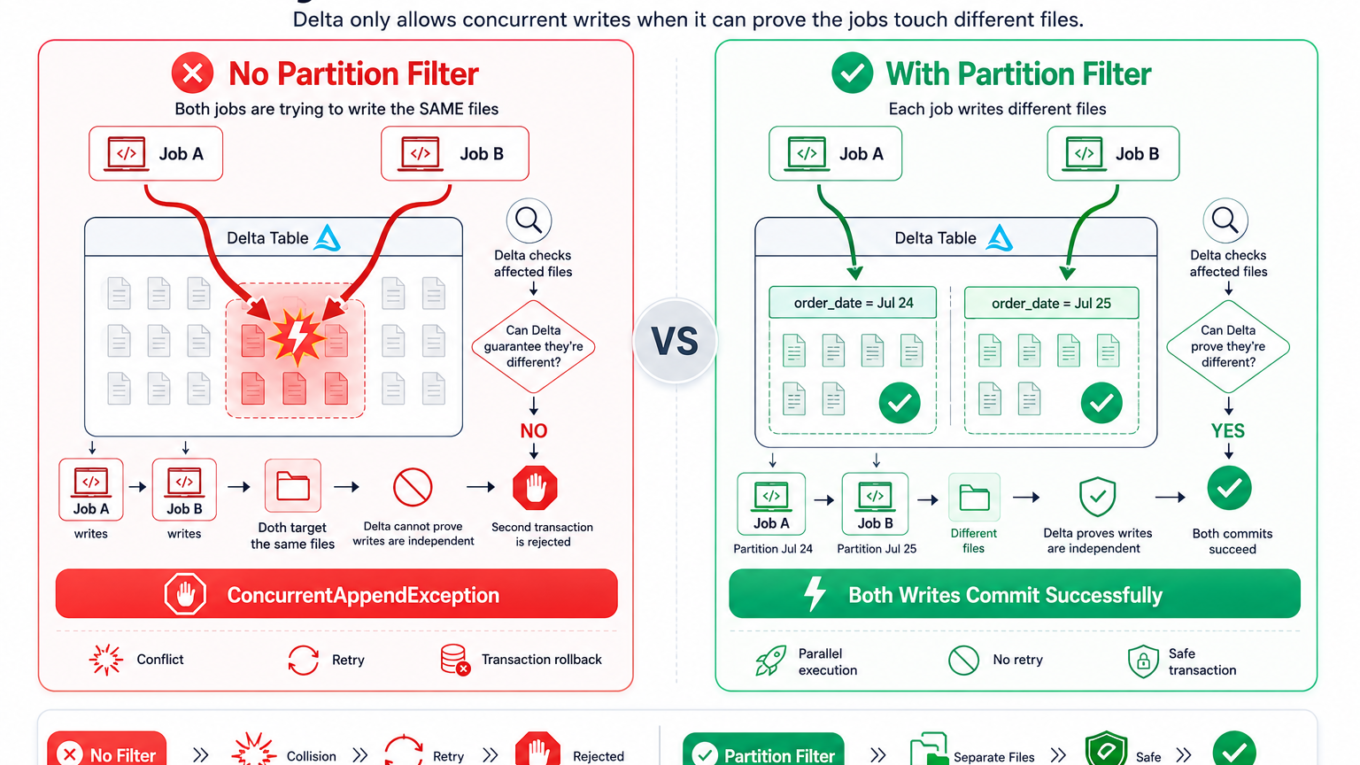
The key detail: Delta decides whether two operations conflict by looking at the files (and partitions) they touch. If it can’t prove they’re disjoint, it assumes the worst and fails the second one. Often the writes really were independent — Delta just couldn’t tell.
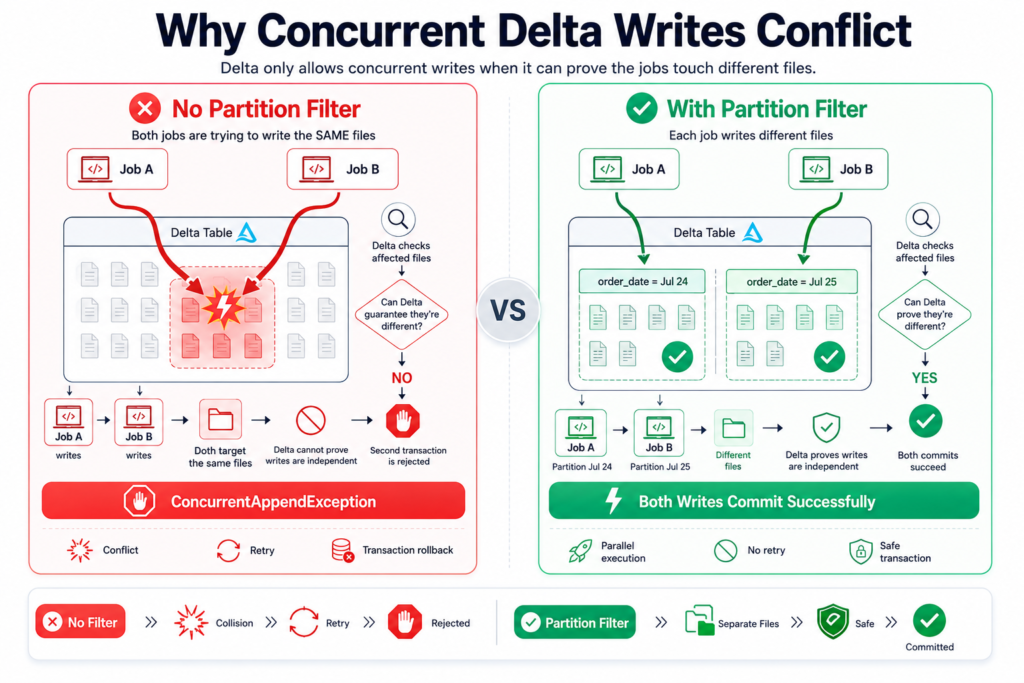
Two writers commit to the same table; Delta rejects the second if it can’t prove they touched different data.
Why it happens
Two writers, overlapping files. Concurrent MERGE/UPDATE/DELETE on the same table, especially without partition filters.
Delta can’t see the writes are disjoint. If your operation doesn’t mention the partition column, Delta assumes it could touch any partition and conflicts with everything.
OPTIMIZE running alongside writes. Compaction rewrites files while a write depends on them — a common source of conflicts.
The fix
1. Give Delta a partition predicate (the real fix)
If two jobs each write a different day’s data to a table partitioned by order_date, they don’t actually conflict — but Delta only knows that if the partition column is in the operation’s condition. Spell it out:
-- BAD: no partition predicate — Delta assumes this could hit any partitionMERGEINTO sales AS tUSING updates AS sONt.id=s.idWHENMATCHEDTHENUPDATESET*WHENNOTMATCHEDTHENINSERT*;-- GOOD: include the partition column so concurrent days can't conflictMERGEINTO sales AS tUSING updates AS sONt.id=s.idANDt.order_date='2026-07-25'WHENMATCHEDTHENUPDATESET*WHENNOTMATCHEDTHENINSERT*;
Now Delta sees each job is scoped to one date, proves they’re disjoint, and lets both commit. This single change resolves the majority of real-world ConcurrentAppendException cases.
2. Add a retry with backoff
Some conflicts are genuine and transient — the operation just needs to re-read the latest table state and try again. Wrap writes in a short retry loop:
from delta.exceptions import ConcurrentAppendExceptionimport timedefrun_merge(): spark.sql("MERGE INTO sales AS t USING updates AS s ...")for attempt inrange(4):try: run_merge()breakexcept ConcurrentAppendException:if attempt ==3:raise time.sleep(2** attempt) # 1s, 2s, 4s backoff
Retries are a safety net, not a substitute for the partition predicate. Use both.
3. Enable row-level concurrency (newer runtimes)
Recent Databricks runtimes support row-level concurrency via deletion vectors, so operations that don’t touch the same rows no longer conflict even within the same partition:
ALTERTABLE sales SET TBLPROPERTIES ('delta.enableDeletionVectors'='true');
This dramatically reduces conflicts for concurrent UPDATE/DELETE workloads on modern Databricks.
4. When all else fails, serialize
If two operations genuinely need the same partition and can’t be separated, don’t fight the engine — schedule them so they don’t overlap. A tiny amount of serialization beats a flood of failed jobs.
How to verify it’s fixed
The concurrent jobs both complete without a ConcurrentAppendException.
The table’s history (DESCRIBE HISTORY sales) shows both operations committed, in sequence, with no gaps.
Row counts match what both jobs should have written combined.
How to prevent it
Design concurrent writes to hit different partitions, and always include the partition column in the operation’s condition.
Wrap production writes in retry logic as standard practice.
Enable deletion vectors for tables with heavy concurrent updates.
Schedule OPTIMIZE when heavy writes aren’t running, or rely on auto-compaction instead of manual OPTIMIZE during peak.
When it’s actually a different conflict
MetadataChangedException: another operation changed the table schema mid-flight — align the schema and retry.
ConcurrentDeleteReadException: usually OPTIMIZE or a delete removed files a concurrent read depended on — separate the two in time.
Stale counts, not a crash: if the problem is that row counts look wrong after a concurrent update (no exception), that’s a caching issue — run REFRESH TABLE sales to see the latest committed state.
Frequently Asked Questions
What causes ConcurrentAppendException in Delta Lake?
It happens when two operations write to the same Delta table concurrently and Delta cannot prove they touched different files or partitions. Because Delta uses optimistic concurrency control, it checks for conflicts at commit time and rejects the later operation to protect data consistency.
How do I fix ConcurrentAppendException?
Add a partition predicate to your MERGE, UPDATE, or DELETE so Delta can see the operations are disjoint, wrap the write in a retry with backoff, and on newer Databricks runtimes enable deletion vectors for row-level concurrency. If two writes truly need the same partition, schedule them so they don’t overlap.
Is ConcurrentAppendException a sign of data corruption?
No. It is Delta protecting your data, not corrupting it. The conflicting operation is safely rejected before it can commit inconsistent changes, so the table stays consistent. You simply need to resolve the conflict and re-run the failed operation.
Does adding a partition filter really prevent conflicts?
Yes, when the concurrent operations target different partitions. Including the partition column in the operation’s condition lets Delta prove the writes are disjoint, so both can commit without conflict. This resolves the majority of ConcurrentAppendException cases in practice.
What are deletion vectors and how do they help?
Deletion vectors let Delta mark rows as removed without rewriting whole files, which enables row-level concurrency on newer Databricks runtimes. With them enabled, operations that modify different rows no longer conflict even within the same partition, greatly reducing concurrency exceptions.