When beginners picture “data,” they picture a spreadsheet — tidy rows and columns. That’s real data, but it’s only one kind. A huge share of the data a company actually holds looks nothing like a spreadsheet: photos, PDFs, chat logs, videos, sensor readings, messy exports from other systems.
Data engineers sort all of it into three buckets — structured, semi-structured, and unstructured — because each type needs to be stored and handled differently. Get the bucket right and everything downstream is easier. Get it wrong and you’re forcing a square peg into a round hole.
The quick version
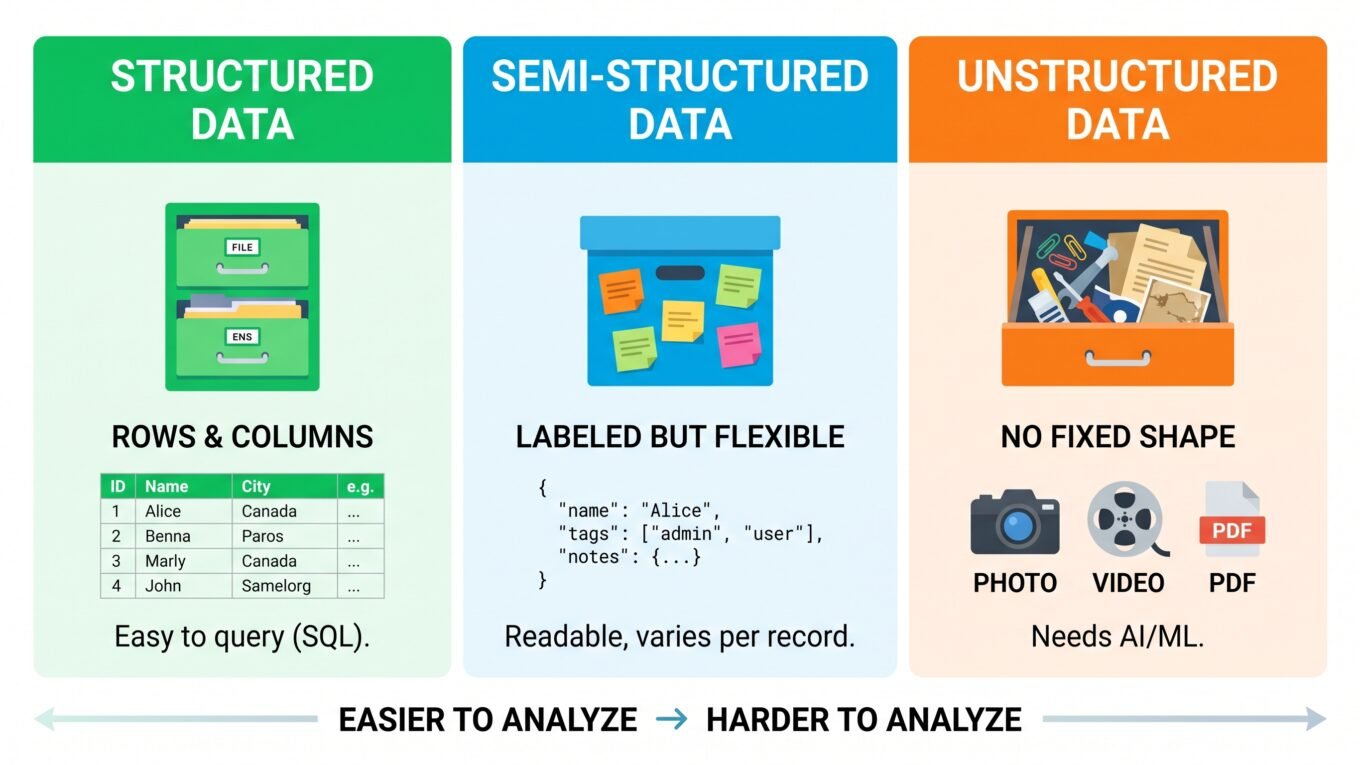
- Structured — fits neatly in rows and columns. A filing cabinet with labeled folders.
- Semi-structured — has some labels and organization, but flexible shape. A box where every item has a sticky note, but the items are all different.
- Unstructured — no predefined format at all. A drawer full of photos, letters, and voice recordings.
Let’s walk through each.
1. Structured data — the filing cabinet
Structured data fits a strict, predefined shape: rows and columns, where every column has a fixed type. This is the world of spreadsheets and traditional databases.
Picture a filing cabinet where every folder has the exact same labeled tabs: Name, Date, Amount. You always know where to look, and a computer can search it instantly.
- Looks like: a table — customers, orders, transactions
- Lives in: databases and data warehouses
- You query it with: SQL
- Easiest to: search, sort, and analyze
Structured data is the friendliest to work with — but it’s also the minority of the world’s data. Most information doesn’t fit so neatly.
2. Semi-structured data — labeled but flexible
Semi-structured data isn’t locked into rigid rows and columns, but it does carry labels (tags) that describe what each piece is. It’s organized enough for a computer to make sense of, yet flexible in shape.
The most common example is JSON — the format most apps and APIs use to exchange data. One record might have a phone number and the next might not; one customer might have three addresses and another zero. Each value is labeled ("email":, "orders":), but the records don’t all match perfectly.
Think of a box where every item has a sticky note describing it — but the items themselves are all different shapes and sizes. You can find things by reading the notes, even though nothing is uniform.
- Looks like: JSON, XML, log files
- Comes from: APIs, web apps, event tracking
- Flexible: fields can vary from record to record
- Handling: readable by computers, but often needs flattening into tables before analysis
3. Unstructured data — the junk drawer
Unstructured data has no predefined model at all. It’s the photos, videos, audio, PDFs, emails, and free-form text that make up most of the data in the world.
Picture a junk drawer: photos, handwritten letters, a voice recorder, a receipt. There’s enormous value in there, but nothing is labeled and nothing has a fixed shape. A computer can’t just “sort by column” — there are no columns.
- Looks like: images, video, audio, PDFs, free text
- Lives in: data lakes (cheap storage for any format)
- Hardest to: search and analyze directly
- Unlocked by: AI and machine learning, which extract meaning from it
Here’s the twist that makes unstructured data a big deal: it’s the most common type by far, and also the hardest to use. That gap is exactly why machine learning and AI have become so valuable — they turn unstructured chaos (a photo, a review, a call recording) into something you can actually analyze.
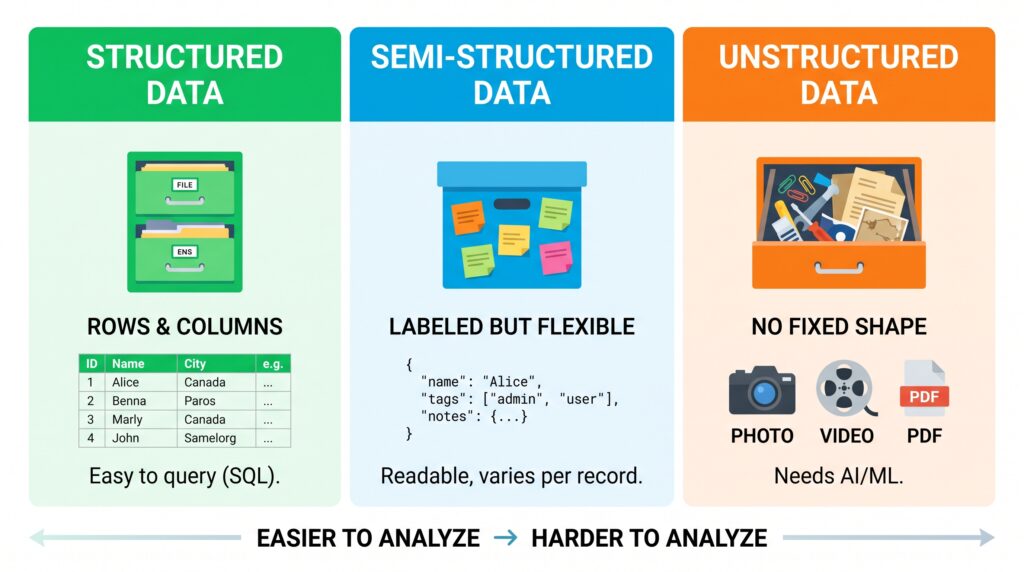
The three types at a glance
Filing cabinet, labeled box, junk drawer — here they are side by side.
| Structured | Semi-structured | Unstructured | |
|---|---|---|---|
| Shape | Rows & columns | Labeled but flexible | No fixed shape |
| Analogy | Filing cabinet | Box with sticky notes | Junk drawer |
| Examples | Tables, spreadsheets | JSON, XML, logs | Images, video, PDFs, text |
| Stored in | Databases, warehouses | Warehouses, lakes | Data lakes |
| Ease of analysis | Easy (SQL) | Moderate | Hard (needs AI/ML) |
| How common | Least | Growing | Most |
Why this matters to a data engineer
This isn’t trivia — the type of data decides real engineering choices:
- Where you store it. Structured data fits a warehouse; unstructured data needs a lake. Put the wrong type in the wrong place and you pay in cost or pain.
- What tools you use. SQL is perfect for structured data and useless on a raw video file.
- How much work it takes. Structured data is nearly ready to use; unstructured data needs heavy processing before it yields anything.
A big part of the job is recognizing which type you’re dealing with and reaching for the right approach automatically — the same way a chef knows instantly whether something goes in the fridge, the freezer, or the pantry.
All three, in one company
Our grocery company holds all three types at once — which is completely normal:
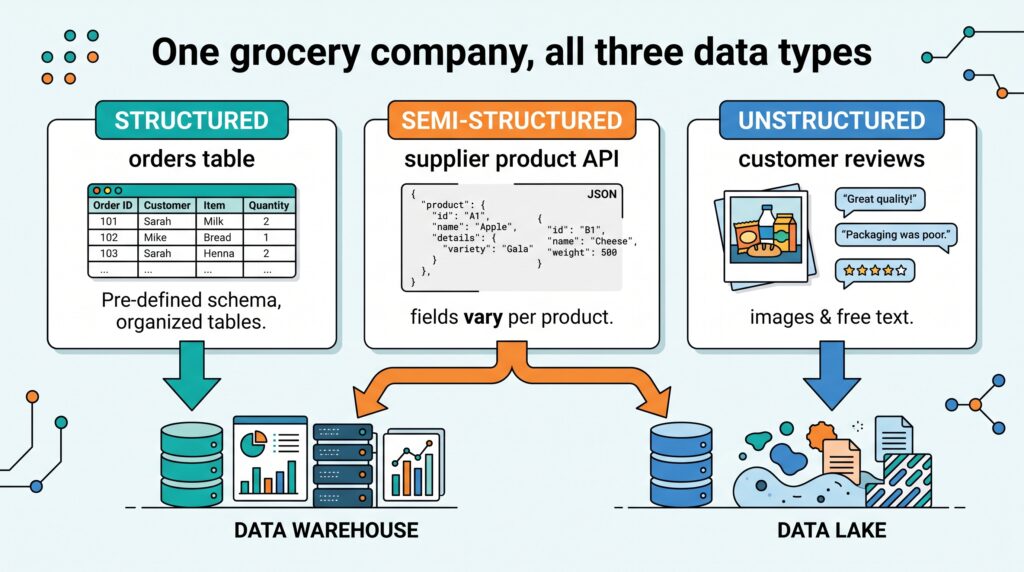
- Structured: the
orderstable — clean rows of who bought what, when, for how much. - Semi-structured: the product feed from a supplier’s API, arriving as JSON where each product has different fields.
- Unstructured: customer review photos and free-text feedback — rich, valuable, and impossible to sort by column.
The data engineer’s job is to route each type to the right home and prepare it for use — the structured orders straight into the warehouse, the JSON flattened into tables, the photos parked in a lake for a future ML model.
The takeaway
Data comes in three shapes. Structured data is the tidy filing cabinet — rows, columns, easy to query with SQL. Semi-structured data is the labeled-but-flexible box, like JSON from an API. Unstructured data is the junk drawer of photos, video, and text — the most common and the hardest to use, which is exactly why AI has become so valuable. Knowing which type you’re holding tells you where to store it, what tools to use, and how much work it’ll take. That instinct is foundational to everything a data engineer does.
Structured data has a superpower we’ve mentioned in every article without properly explaining it: SQL. Next, we’ll cover what SQL is and why it’s the one skill no data engineer can skip.
Frequently Asked Questions
What are the three types of data?
The three types are structured data (fits neat rows and columns, like a spreadsheet), semi-structured data (has labels but a flexible shape, like JSON), and unstructured data (no fixed format, like images, video, and free text). Each type needs different storage and handling.
What is the difference between structured and unstructured data?
Structured data fits a predefined table of rows and columns and is easy to search with SQL. Unstructured data — images, video, audio, and free text — has no fixed format and cannot be queried with SQL directly, usually requiring AI or machine learning to analyze.
Is JSON structured or semi-structured?
JSON is semi-structured. It uses labels (keys) to describe each value, so a computer can read it, but the shape is flexible — different records can have different fields. This makes it more organized than unstructured data but less rigid than a database table.
Which type of data is most common?
Unstructured data is by far the most common, including all the images, videos, documents, and text people and systems create. It is also the hardest to analyze, which is a major reason AI and machine learning have become so valuable.
Where is each type of data stored?
Structured data typically lives in databases and data warehouses. Semi-structured data can live in warehouses or lakes. Unstructured data is usually stored in data lakes, which cheaply hold any format. Choosing the right storage for each type is a core data engineering decision.