Database. Data warehouse. Data lake. Lakehouse. Four terms that get thrown around in every job description and every architecture diagram — and most beginners quietly nod along without being sure what separates them.
Here’s the good news: they’re all just places to keep data. What changes is what kind of data they hold, how organized it is, and what job they’re good at. Once you see that, the confusion disappears.
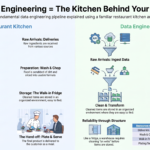
We’ll go back to the restaurant from the first article in this series, because a kitchen has all four of these, and you already understand how they work.
The 30-second answer
Database — the pantry by the stove. Small, tidy, grabbed constantly while service is running.
Data Warehouse — the walk-in fridge. Everything cleaned, labeled, and arranged for cooking.
Data Lake — the big storage yard out back. Every delivery dumped in raw, cheap, nothing thrown away.
Lakehouse — a modern storage yard with the fridge’s labeling system. The space of a lake, the order of a warehouse.
Now let’s walk through each one properly.
1. The Database — the pantry by the stove
A database is where an application keeps the data it needs right now to operate. Small amounts, accessed constantly, always current.
In the restaurant, this is the pantry an arm’s reach from the stove. Salt, oil, the spices you use every few minutes. It’s small on purpose — you need to grab something in two seconds, not go hunting.
In a business, the database powers the live app: your current cart, your account balance, today’s inventory count. If you read the OLTP vs OLAP article, this is the OLTP world — many tiny, fast transactions.
Holds: current, operational data — highly structured (neat rows and columns)
Great at: finding or updating one record instantly
Bad at: answering big historical questions across millions of rows
Examples: PostgreSQL, MySQL, SQL Server, Oracle
2. The Data Warehouse — the walk-in fridge
A data warehouse is where cleaned, organized, historical data lives so people can analyze it. It’s built for big questions, not for running the business minute-to-minute.
Picture the walk-in fridge. Everything in there has been washed, chopped, portioned, and labeled with a date. Nothing raw and muddy gets in. It takes effort to prep things before they go on those shelves — but because of that effort, the chef can grab exactly what they need instantly.
That’s the trade-off of a warehouse: you do the cleaning work up front, so analysis afterwards is fast and trustworthy.
Holds: cleaned, structured, historical data ready for analysis
Great at: dashboards, reports, “how did we do last quarter?”
Bad at: storing messy, unusual data like images, audio, or raw logs
Key idea: A warehouse demands structure before data goes in. That discipline is exactly why the data inside it is reliable.
3. The Data Lake — the storage yard out back
A data lake stores enormous amounts of raw data of any shape, cheaply, without deciding in advance how it’ll be used.
Think of a huge storage yard behind the restaurant. Every delivery gets dropped there exactly as it arrived — crates of vegetables, sacks of flour, unopened boxes, that weird ingredient someone ordered for a dish you might try next year. It’s cheap, it’s massive, and you throw nothing away.
Why would anyone want this? Because sometimes you don’t yet know what you’ll need. A machine learning team might want raw website clickstream logs three years from now. If you’d forced everything into tidy warehouse tables on day one, you’d have thrown that detail away.
Holds: anything — structured tables, JSON, logs, images, audio, video
Great at: cheap storage at massive scale, machine learning, keeping raw history
Bad at: being tidy on its own; queries can be slow and messy
Examples: Amazon S3, Azure Data Lake Storage, Google Cloud Storage
The warning: data swamps
Here’s where real teams get burned. A storage yard with no labels, no inventory list, and no rules turns into a junkyard. Nobody knows what’s in which crate, whether it’s still good, or who put it there.
In data, that’s called a data swamp — a lake so disorganized it’s effectively useless. It’s one of the most common failures in the industry: companies dump everything in “because storage is cheap,” then discover nobody can find or trust anything.
Hard-won rule: A data lake without governance, documentation, and structure isn’t a lake — it’s a swamp. Cheap storage is not the same as useful storage.
4. The Lakehouse — the modern storage yard with labels
For years, teams were stuck choosing: the warehouse’s order, or the lake’s flexibility and low cost. Most large companies ended up building both — and then paying to keep two copies of everything in sync. Expensive, slow, and a constant source of “why don’t these two numbers match?”
The lakehouse is the answer to that mess: keep the cheap, flexible storage of a lake, but add a layer on top that brings warehouse-grade structure, reliability, and fast SQL queries.
Back to the restaurant: imagine upgrading the storage yard with proper shelving, barcode labels, temperature control, and a live inventory system. Same cheap space, same ability to store anything — but now you can find things instantly and trust what you find.
Holds: everything a lake holds, plus warehouse-style reliable tables
Great at: serving both analytics and machine learning from one copy of the data
Watch out for: it’s newer, and still requires real discipline to keep organized
Examples: Databricks with Delta Lake, Apache Iceberg, Microsoft Fabric
How we got here
🥫
Database
The pantry
Small · live · instant
→
🧊
Warehouse
The walk-in fridge
Clean · structured · trusted
→
📦
Data Lake
The storage yard
Raw · cheap · anything
→
🏗️
Lakehouse
Yard + labels
Flexible and reliable
Each one appeared because the previous one hit a limit. Databases couldn’t handle big analysis, so warehouses arrived. Warehouses couldn’t affordably hold messy data like images and logs, so lakes arrived. Lakes turned into swamps, so lakehouses arrived. It’s a chain of practical fixes, not a fashion cycle.
All four, side by side
Database
Warehouse
Data Lake
Lakehouse
Kitchen
Pantry
Walk-in fridge
Storage yard
Yard with labels
Data type
Structured
Structured
Any (raw)
Any
Organized?
Yes
Very
Not by default
Yes
Main use
Running the app
Reports & BI
ML & raw history
Both BI & ML
Cost
Moderate
Higher
Lowest
Low–moderate
Cleaned when?
On write
Before loading
Later, if ever
In layers
So which one does a company actually need?
Usually more than one — and that’s normal, not a failure of planning. A typical setup looks like this:
A database runs the live application. Non-negotiable — every business has one.
A warehouse or lakehouse holds cleaned data for dashboards and reporting.
A lake (or the lake layer of a lakehouse) keeps raw history for machine learning and future needs.
And the honest advice for a small company or someone learning: don’t over-engineer. A single well-organized warehouse solves the needs of most businesses for a long time. You add a lake or lakehouse when you actually hit a limit — messy data types, ML workloads, or storage costs — not because the architecture diagram looks impressive.
Practical rule: Choose the simplest thing that answers today’s questions. Complexity is a cost you pay every single day it exists.
The takeaway
These four aren’t rivals competing to win. They’re different storage rooms for different jobs, and almost every serious data platform uses a combination of them. The database keeps the business running. The warehouse makes it understandable. The lake keeps everything, just in case. The lakehouse tries to give you the last two without paying for both twice.
What matters more than the labels is the discipline: data that isn’t organized, documented, and trusted is a swamp no matter which logo is on the storage bill.
Next in the series: now that you know where data lives, we’ll look at how it gets there — the difference between ETL and ELT, and why the order of two letters changed how the whole industry works.
Frequently Asked Questions
What is the difference between a data lake and a data warehouse?
A data warehouse stores cleaned, structured data that has been organized before loading, making it fast and reliable for reports and dashboards. A data lake stores raw data of any type — including logs, images, and audio — cheaply and without requiring structure up front, which makes it useful for machine learning and keeping full history.
Is a database the same as a data warehouse?
No. A database is built to run an application, handling many small, fast reads and writes of current data. A data warehouse is built for analysis, storing large volumes of historical data and answering complex questions across millions of rows.
What is a lakehouse?
A lakehouse combines a data lake’s cheap, flexible storage with a data warehouse’s structure and reliability. It lets teams run both business analytics and machine learning from a single copy of the data, instead of maintaining a separate lake and warehouse.
What is a data swamp?
A data swamp is a data lake that has become disorganized and untrustworthy because data was dumped in without documentation, governance, or structure. The data is technically stored but practically unusable, since nobody knows what exists or whether it is correct.
Do I need a data lake if I already have a data warehouse?
Not necessarily. A well-organized warehouse meets the needs of most businesses. A data lake becomes worthwhile when you need to store unstructured data like images or raw logs, support machine learning, or reduce the cost of storing very large volumes of history.