OLTP and OLAP are two of the ugliest acronyms in data, and they trip up almost every beginner — partly because they look nearly identical. One letter apart. It feels like a trick.
It isn’t. Behind the jargon is one of the most useful ideas in all of data engineering, and once it clicks, a lot of other concepts (data warehouses, pipelines, the whole reason your job exists) suddenly make sense.
So let’s make it click. We’ll use a supermarket — the same online grocery company from our day-in-the-life article.
The one-sentence version
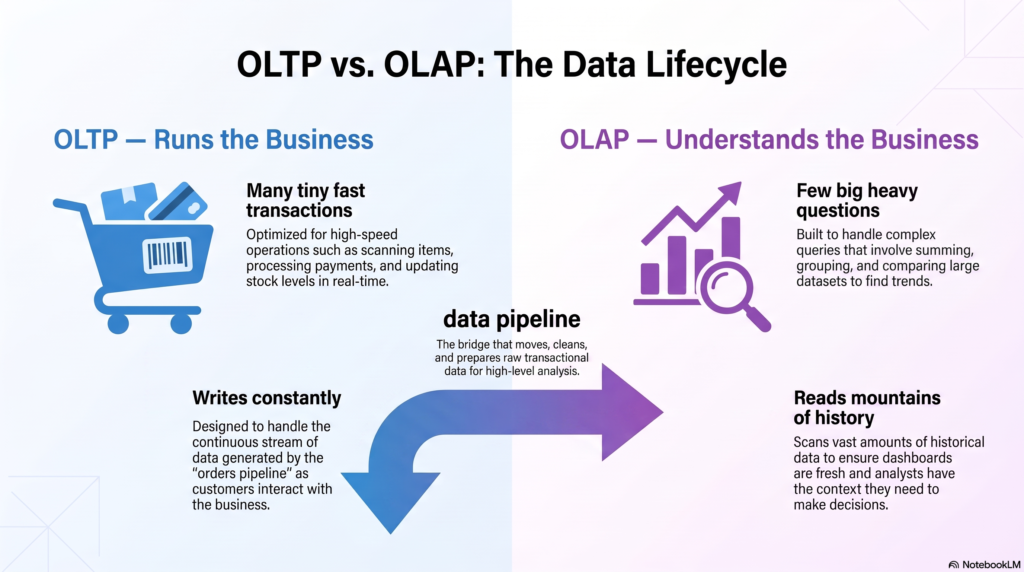
OLTP runs the business. OLAP helps you understand the business.
That’s the whole idea. Everything below is just detail. Let’s walk into the supermarket and see both in action.
OLTP — the checkout tills (running the business)
OLTP stands for Online Transaction Processing. Forget the name. Picture the checkout counters.
All day long, tills are doing tiny, fast jobs: scan an item, add it to the bill, take a payment, subtract one unit from inventory. Thousands of these little actions per hour. Each one:
- Touches a small amount of data (one customer, one basket).
- Has to be fast — nobody waits 10 seconds for a barcode to scan.
- Happens constantly and simultaneously (every till at once).
- Mostly writes and updates data (new sale, stock down by one).
This is OLTP. It’s the database behind the app that takes your grocery order, the system that records the payment, the table that tracks inventory in real time. Its entire job is to handle a flood of small transactions right now, reliably, without losing a single one.
Examples of OLTP systems you use every day: your banking app, an e-commerce checkout, a ticket booking site, a ride-hailing app. Anything where individual transactions happen live.
OLAP — the back-office report (understanding the business)
OLAP stands for Online Analytical Processing. Again, ignore the name. Picture the store manager on Monday morning, asking big questions.
“Which products sold best last month across all 40 stores?” “Are Tuesday evenings worth staffing more heavily?” “How did the discount campaign affect repeat purchases this quarter?”
Answering these is a completely different kind of work:
- It touches a huge amount of data (millions of sales, months of history, every store).
- It’s okay if it takes a while — a report that runs in 20 seconds is fine.
- It happens occasionally, not thousands of times a second.
- It mostly reads and summarizes data (sum, average, group, compare).
This is OLAP. It’s the data warehouse, the analytics database, the thing that powers dashboards and reports. Its job isn’t to run the business minute-to-minute — it’s to help humans make sense of everything the business did.
Side by side
| OLTP (the tills) | OLAP (the report) | |
|---|---|---|
| Purpose | Run the business | Understand the business |
| Typical operation | Insert / update one record | Read & summarize millions |
| Data per action | Tiny (one order) | Huge (all orders) |
| Speed need | Instant (milliseconds) | Seconds to minutes is fine |
| How often | Constantly, in parallel | Occasionally, on demand |
| Mostly does | Writes | Reads |
| Who uses it | Apps & customers | Analysts & leaders |
| Real examples | Banking app, checkout, booking | Data warehouse, dashboards, BI |
Why not just use one system for both?
This is the question every beginner asks, and it’s a good one. If the checkout system already has all the sales data, why not just run the monthly report directly on it?
Because it would be like asking a cashier to stop mid-transaction and count every sale in the entire chain for the last year — while a line of customers waits. The till would grind to a halt.
Here’s the real danger, and it’s a classic rookie mistake: running a big analytical query on a live OLTP database can slow it down or crash it. That heavy report scans millions of rows, hogs resources, and suddenly real customers can’t check out. You’ve broken the actual business to answer a question about it.
Hard-won rule: Never run heavy analytics directly on your production OLTP database. Move the data to an OLAP system first.
The two systems are also designed completely differently under the hood. OLTP databases are optimized to find and update single records instantly. OLAP systems are optimized to scan and crunch enormous columns of data. You physically can’t make one shape great at both — so we build both, and move data between them.
This is exactly why data engineers exist
Here’s the punchline that ties it all together. The business data is trapped in the OLTP systems (the tills, the app, the payment system). The people who need to understand the business need it in an OLAP system (the warehouse). Something has to reliably move it from one to the other, clean it up along the way, and keep it fresh.
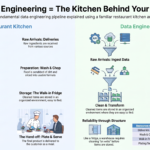
That “something” is a data pipeline — and building it is the core of data engineering. Remember the kitchen from the first article? OLTP is the raw ingredients arriving at the back door. OLAP is the organized fridge the chef pulls from. The data engineer is the prep line in between.
A quick gut-check
Whenever you meet a new system, ask one question: is this thing running the business, or understanding it?
- App that takes customer orders → OLTP
- Dashboard showing monthly revenue trends → OLAP
- The table that stores your current account balance → OLTP
- The report comparing customer churn across regions → OLAP
Get comfortable with that single question and you’ll never mix them up again.
The takeaway
OLTP and OLAP aren’t competing technologies you have to choose between — they’re two halves of how every data-driven company works. One keeps the business running in real time; the other makes the business understandable. They’re built differently because they do fundamentally different jobs, and forcing one to do the other’s work is how you crash production at the worst possible moment.
The gap between them is where data engineers live. Next up in the series, we’ll zoom into the OLAP side and clear up another set of confusing terms: databases vs. data warehouses vs. data lakes vs. lakehouses — the different places your data can actually live.
Frequently Asked Questions
What is the difference between OLTP and OLAP?
OLTP (Online Transaction Processing) handles many small, fast transactions that run a business in real time, like recording a sale or a payment. OLAP (Online Analytical Processing) handles large, complex queries that help you understand the business, like analyzing sales trends across months. OLTP mostly writes small amounts of data; OLAP mostly reads and summarizes large amounts.
Can you give a simple example of OLTP and OLAP?
Think of a supermarket. The checkout tills recording each sale are OLTP — tiny, fast, constant transactions. The manager’s monthly report analyzing which products sold best across all stores is OLAP — a big, occasional query over lots of history.
Why shouldn’t you run reports directly on an OLTP database?
Large analytical queries scan huge amounts of data and consume a lot of resources. Running them on a live OLTP database can slow it down or crash it, which disrupts real customer transactions. Instead, data is moved to an OLAP system built for analytics.
Is a data warehouse OLTP or OLAP?
A data warehouse is an OLAP system. It is designed to store large volumes of historical data and answer analytical questions efficiently, rather than to process live individual transactions.
How do OLTP and OLAP work together?
Data is created in OLTP systems as the business runs, then moved into OLAP systems for analysis using data pipelines. This move, along with cleaning and organizing the data, is a core part of what data engineers build and maintain.