Fix “User Does Not Have Permission SELECT on ANY File” in Databricks
You're reading data by file path on a Table-ACL cluster. The blunt fix is dangerous — here's what the error means and the scoped, safe way to grant file access.
This is the close cousin of the “USAGE on database” error, but about a different thing entirely. It shows up when you read data by its raw file path instead of through a table — and on a cluster with Table Access Control, direct file access is governed by a separate, powerful privilege called ANY FILE.
⚡ Quick fix (and a warning)
The legacy grant that makes the error go away:
-- Legacy Hive metastore (Table ACLs)GRANTSELECTON ANY FILETO`data_engineers`;
Stop before you run that.SELECT ON ANY FILE is a master key — it grants read access to every file the cluster can reach, bypassing all your table-level permissions. Granting it widely quietly blows a hole in your security model. It’s fine for a trusted admin or service principal; it’s a bad idea for a general user group. The better fixes are below.
What the error actually means
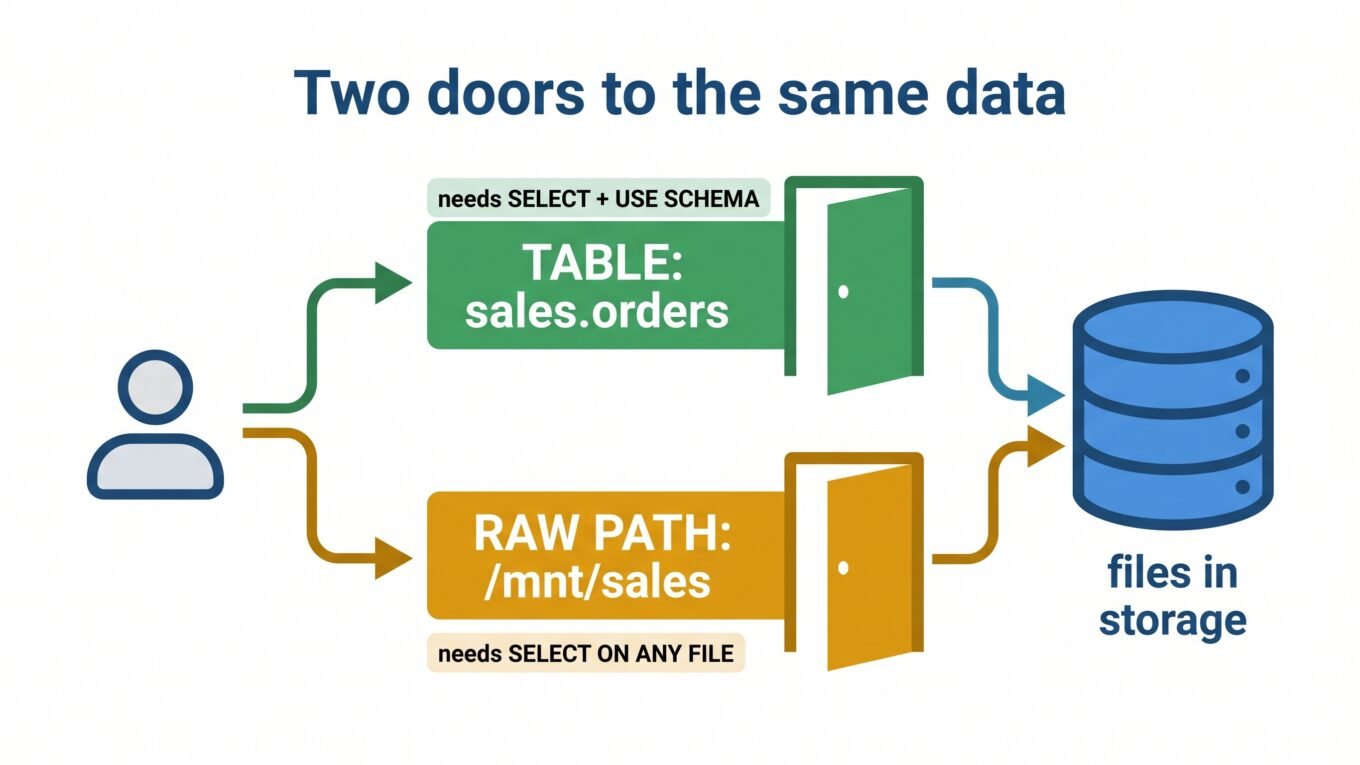
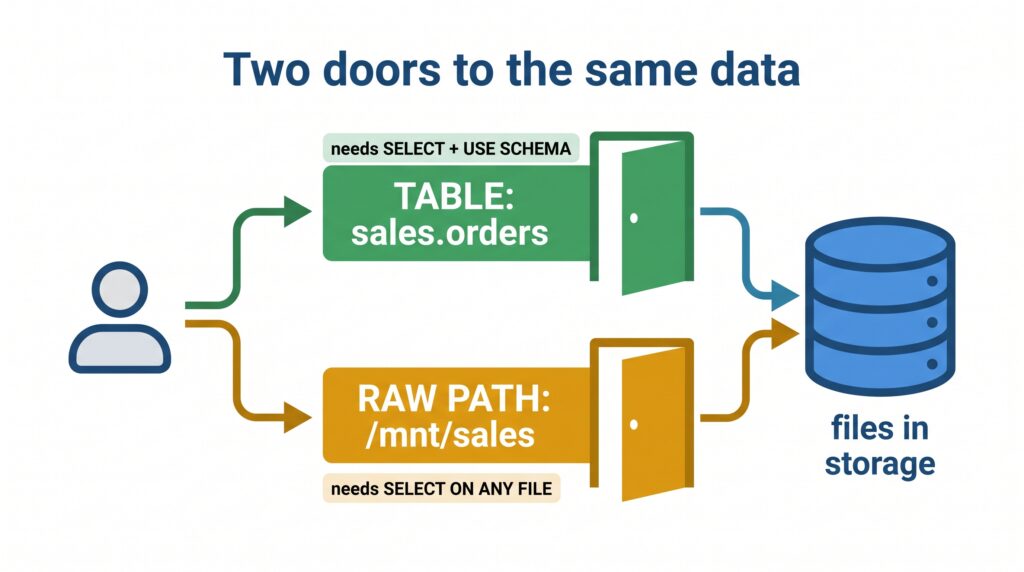
There are two different doors to the same data, and each has its own lock. Reading a table is governed by table privileges. Reading the files directly by path is governed by file privileges. Table access does not imply file access — so a user who can query sales.orders can still be blocked from reading the raw Parquet under it.
Two doors to the same data
The ANY FILE privilege is the “direct path” door. When your query reaches for files rather than a table, that’s the lock it checks — and if it’s not granted, you get the error.
Why it happens
You’ll trip this whenever a query touches files directly, on a Table-ACL-enabled cluster:
Reading a path with a format function:SELECT * FROM parquet.`/mnt/sales/2026` or json.`...`.
Creating a table over a location:CREATE TABLE ... LOCATION '/mnt/...', or COPY INTO from a path.
Reading from a mount or DBFS path directly in SQL rather than via a registered table.
Loading raw files that aren’t backed by a governed table at all.
In every case, there’s no table ACL to check — so Databricks falls back to the file-level privilege, ANY FILE, and blocks you if you don’t have it.
The fix — from worst to best
Best: read through a table, not a path
The cleanest fix is to not need file access at all. Register the data as a table (or a view) once, and let users query that with normal table grants. No ANY FILE, no security hole:
-- Register the path as a table once (done by someone who can)CREATETABLEsales.ordersUSINGPARQUETLOCATION'/mnt/sales/orders';-- Everyone else just uses table grantsGRANTUSESCHEMAONSCHEMA sales TO`data_analysts`;GRANTSELECTONTABLEsales.ordersTO`data_analysts`;
Best for raw paths: Unity Catalog External Locations or Volumes
If users genuinely need raw-path access, Unity Catalog replaces the blunt ANY FILE with scoped grants on a specific path — you allow one location, not the whole storage account:
-- Grant read on just one external locationGRANTREAD FILES ONEXTERNALLOCATION sales_landing TO`data_engineers`;-- Or, for a managed path, use a VolumeGRANTREAD VOLUME ON VOLUME main.sales.raw_files TO`data_engineers`;
Last resort: SELECT ON ANY FILE, scoped to a trusted principal
On a legacy metastore with no better option, grant ANY FILE — but only to an admin group or a dedicated service principal that runs trusted jobs, never to broad user groups.
GRANTSELECTON ANY FILETO`platform_admins`; -- trusted principals only
How to verify it’s fixed
The path read (or CREATE TABLE ... LOCATION) runs without the SecurityException.
For the table approach, users can SELECT the registered table and never touch the path.
For Unity Catalog, SHOW GRANTS ON EXTERNAL LOCATION sales_landing lists READ FILES for the group.
How to prevent it
Expose data as tables and views, not raw paths. Users should almost never read files directly.
Adopt Unity Catalog External Locations and Volumes for the rare cases that need path access — scoped, auditable, safe.
Reserve ANY FILE for admins and service principals. Treat it like root access, because that’s essentially what it is.
When it’s actually something else
You meant to query a table: if you didn’t intend path access, you’re probably hitting the sibling “USAGE / USE SCHEMA” error instead — fix that with table grants.
Storage credential problem: if the cluster’s identity can’t reach the storage account at all, that’s a credential/access-connector issue, usually with a different error mentioning authentication or the storage endpoint.
No Table ACLs enabled: if the cluster doesn’t enforce Table Access Control, this privilege model doesn’t apply — check the cluster’s access mode.
Frequently Asked Questions
What does “User does not have permission SELECT on ANY FILE” mean?
It means a query tried to read data directly by file path on a cluster with Table Access Control, but the user lacks the ANY FILE privilege that governs direct file access. Table permissions do not cover raw file reads, so a separate file-level privilege is required.
How do I grant SELECT on ANY FILE in Databricks?
On the legacy Hive metastore you run GRANT SELECT ON ANY FILE TO `group`. However, this grants access to every file the cluster can reach and bypasses table ACLs, so it should only go to trusted admins or service principals — prefer table access or Unity Catalog External Locations instead.
Is SELECT ON ANY FILE dangerous?
Yes, if granted broadly. It gives read access to all files the cluster can reach, effectively bypassing your table-level security. Treat it like root access: grant it only to a small set of trusted principals, and use scoped Unity Catalog grants for everyone else.
What is the Unity Catalog equivalent of ANY FILE?
Unity Catalog does not use ANY FILE. Instead, you grant READ FILES on a specific External Location, or READ VOLUME on a Volume. These are scoped to a single path, are auditable, and are far safer than the all-or-nothing ANY FILE privilege.
How do I avoid the ANY FILE error entirely?
Register your data as tables or views and have users query those with normal table grants, rather than reading raw paths. Direct file access should be the exception, handled through scoped Unity Catalog External Locations or Volumes when it is truly needed.