Fix Spark Data Skew in Joins (One Task Runs Forever)
Your job is "99% done" for an hour because one task got all the data. That's skew. Here's how to fix it with AQE, broadcast joins, skew hints, and salting.
You know the feeling. A Spark job flies through 199 of 200 tasks in seconds, then sits at “99% complete” for an hour on the last one. No error, no crash — just one task grinding away, maybe spilling to disk or eventually running the executor out of memory. That single straggler is almost always data skew.
⚡ Quick fix
Make sure Adaptive Query Execution (AQE) skew handling is on — it splits skewed partitions automatically and is the first line of defense.
If one side of the join is small, broadcast it — a broadcast join has no shuffle, so skew can’t bite.
For a known hot key, add a skew hint (Databricks) so the optimizer plans for it.
For extreme skew, salt the key to spread the hot value across many partitions.
Data skew is what happens when one partition contains significantly more data than the others. It shows up during wide transformations — joins, group-by operations, and distinct computations — because those are the operations that shuffle rows around by key.
To join two tables, Spark shuffles rows so that all rows with the same key land in the same partition, on the same executor. That works beautifully when keys are spread evenly. It falls apart when one key value is wildly more common than the rest.
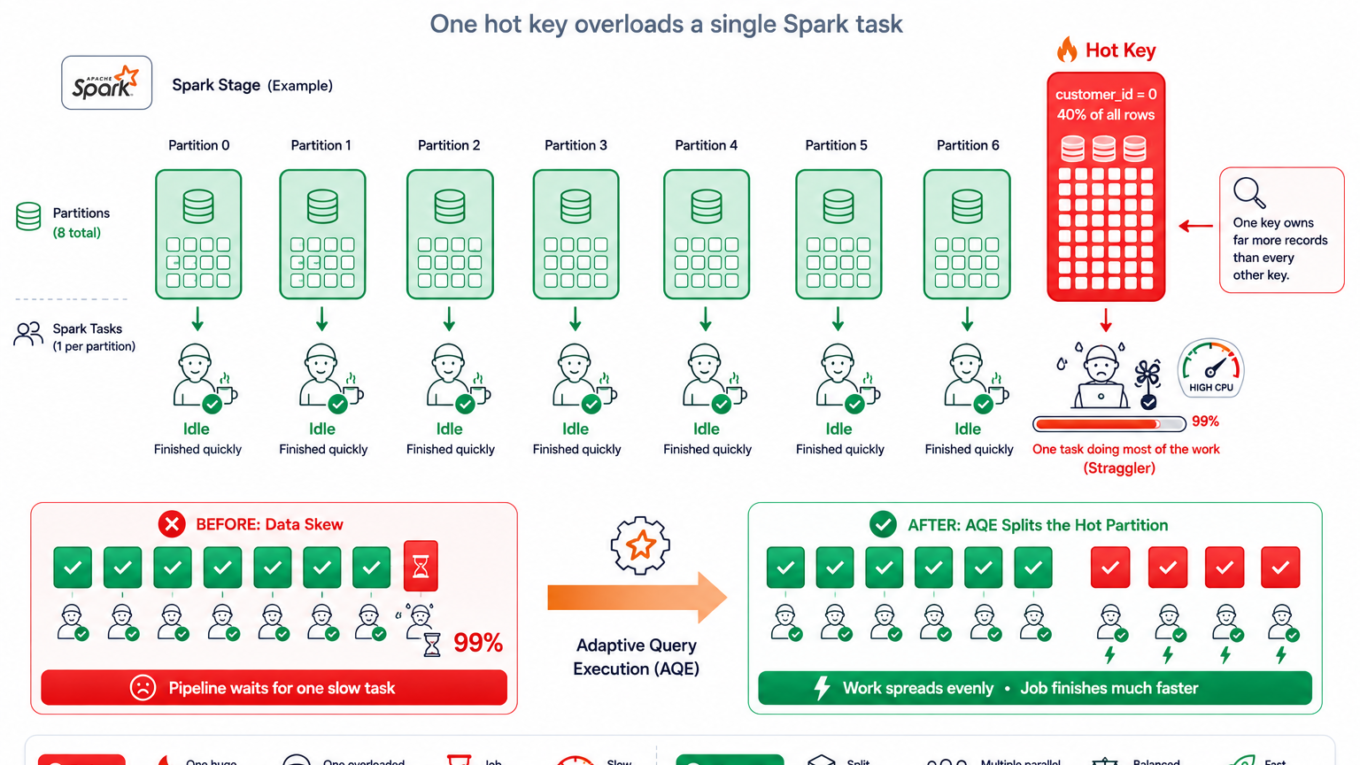
Say you join orders to customers on customer_id, and one giant customer (or a junk value like customer_id = 0 or null) accounts for 40% of all orders. Every one of those rows is shuffled into a single partition. One task now has to process 40% of the data alone while the others sit idle. That’s your hour-long straggler.
The small partitions finish early and then wait, because a stage is only complete when its slowest task is complete. And the oversized partition is also the one most likely to spill to disk or run the executor out of memory.
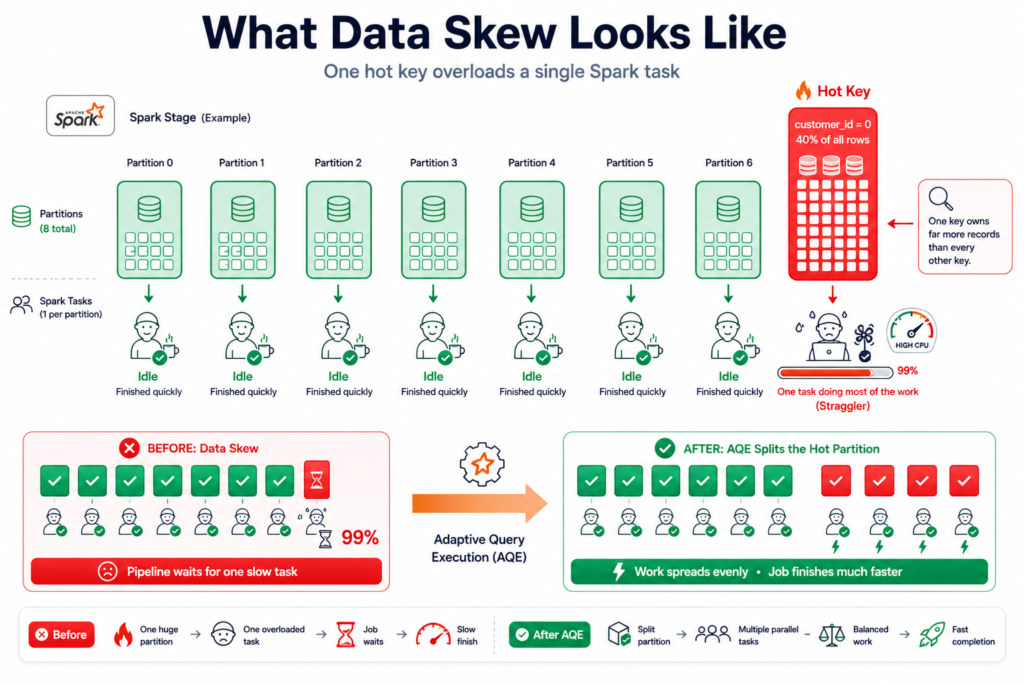
One hot key sends most of the data to a single partition — the straggler that holds up the whole job.
Skew is not a standalone phenomenon. It is one of three problems that come out of the shuffle, alongside spill and out of memory errors — and all three have the same root cause. For the full picture, see Spark Shuffle Explained.
Confirm it’s skew (Spark UI)
Don’t guess — check. In the Spark UI, open the slow stage and scroll to Summary Metrics. That table shows every metric at the Min, 25th percentile, Median, 75th percentile and Max, and skew has an unmistakable signature: most of the columns are near zero while the Max is enormous.
Textbook skew: shuffle read of 0 B at the median, 1.7 GiB at the max — and spill appearing only in the top quartile.
Read that table row by row and the whole story is there:
Row
Median
Max
What it tells you
Shuffle Read Size
0 B
1.7 GiB
Most tasks got nothing. One got everything.
Duration
11 ms
1.2 min
The straggler, quantified
Spill (Memory)
0 B
3.8 GiB
Only the oversized partition spilled
That last row is worth dwelling on. Spill appearing only in the top percentiles is the signature of skew, not of a memory shortage. Adding memory would let that one task squeeze through — but you would be paying for a bigger cluster every hour to work around uneven data.
To find the culprit key, count rows per key and look at the top of the list:
from pyspark.sql.functions import colorders.groupBy("customer_id").count().orderBy(col("count").desc()).show(10)# One value with a wildly higher count than the rest = your hot key
The fix, from easiest to heaviest
1. Let AQE handle it
Modern Spark and Databricks have Adaptive Query Execution, which detects a skewed partition at runtime and splits it into smaller sub-partitions across more tasks. It’s on by default on recent runtimes — confirm it, and many skew problems just disappear:
You will read plenty of advice saying that on Spark 3.x you no longer need to worry about skew because AQE handles it. That is close to true, and the gap is where people lose days.
AQE only treats a partition as skewed when it satisfies both of these conditions:
Both, not either. So a 200 MB partition sitting among 2 MB partitions is 100 times the median and still ignored, because it never crosses 256 MB. This is why people lower one setting, see no change, and conclude AQE is broken.
There is a second limitation that matters just as much: AQE’s skew handling applies to joins. If your skew is in a groupBy or an aggregation rather than a join, AQE will not split it for you, and you are back to salting or reshaping the data.
So treat AQE as the first thing to check, not as a guarantee.
2. Broadcast the small side
If one table is small (think dimension tables — customers, products), broadcast it to every executor. A broadcast join skips the shuffle entirely, so there’s no partition for the hot key to overload:
from pyspark.sql.functions import broadcastresult = orders.join(broadcast(customers), "customer_id")
This is the cleanest fix available, because it removes the shuffle rather than managing it. The limit is memory — the broadcast table has to fit comfortably on every executor, and on the driver that ships it.
3. Add a skew hint (Databricks)
If you already know which key is skewed, tell the engine directly so it plans around it. This is a Databricks feature rather than open-source Spark:
SELECT/*+ SKEW('orders', 'customer_id') */*FROM orders JOIN customers USING (customer_id);
result = orders.hint("skew", "customer_id").join(customers, "customer_id")
The hint is most useful when you know the hot key but it falls under AQE’s thresholds — you are telling the engine something it could not work out on its own.
4. Salt the key (for extreme skew)
When neither broadcast nor AQE is enough, salting spreads the hot key across many partitions by appending a random number, joining on the salted key, and dropping the salt after. The big side gets a random salt; the small side is duplicated across every salt value so matches still find each other:
frompyspark.sql.functions import col, concat, lit, floor, randN =16 # number of salt buckets# Big/skewed side: one random salt per roworders_salted = (orders .withColumn("salt", floor(rand() * N)) .withColumn("k", concat(col("customer_id"), lit("_"), col("salt"))))# Small side: replicate every row across all salt bucketssalts =spark.range(N).withColumnRenamed("id", "salt")customers_exploded = (customers.crossJoin(salts) .withColumn("k", concat(col("customer_id"), lit("_"), col("salt"))))result =orders_salted.join(customers_exploded, "k").drop("salt", "k")
Salting is powerful but adds complexity, so reach for it only after AQE, broadcast, and hints haven’t solved it. It is also the fix that still matters on Spark 3.x — for skew in aggregations, or for a hot partition that stays under AQE’s 256 MB threshold, salting is the tool that works when AQE won’t engage.
How to verify it’s fixed
In Summary Metrics, the Max task duration is now close to the Median — no lone straggler.
The Spill columns are zero, or at least no longer confined to the top percentiles.
The job finishes in a fraction of the time, with no executor OOM on that stage.
Results are identical to before (salting especially — always confirm the row count matches).
How to prevent it
Keep AQE enabled — it quietly handles most skew for free.
Filter out junk hot keys like null or 0 before the join if they’re not real data.
Broadcast small dimensions as a default pattern to avoid shuffles altogether.
Know your data’s distribution — a quick group-by-count during development catches skew before production does.
When it’s actually something else
Skew has a specific signature: Max far above Median. If the percentiles are all similar, it is something else.
Every task slow, percentiles even — the data may simply be too big for the cluster, or the cost is inside the task rather than in the shuffle. A Python UDF is a common culprit, covered in PySpark Data Serialization.
Spill at every percentile, not just the Max — that is a genuine memory shortage rather than skew. See Spark Spill to Disk.
Too few or too many partitions — uniformly slow shuffles can be a partition-count problem, tuned via spark.sql.shuffle.partitions or AQE coalescing.
Thousands of tiny tasks — that is usually a data layout issue, not skew. See The Small Files Problem.
Frequently Asked Questions
What is data skew in Spark?
Data skew is when one partition contains significantly more data than the others, usually because one key value is far more common than the rest. It happens during wide transformations such as joins, group-by operations and distinct computations. All rows with that key land in a single partition, so one task processes most of the data while the rest sit idle.
How do I fix a Spark join stuck at 99%?
A join stuck on the last task is usually skew. Confirm Adaptive Query Execution skew handling is enabled, broadcast the smaller table if it fits, add a skew hint for a known hot key, and for extreme cases salt the key to spread it across partitions.
What is salting in Spark?
Salting fixes severe skew by appending a random number to the join key so a single hot value is spread across many partitions. The larger side gets a random salt per row, the smaller side is replicated across all salt values so matches still find each other, and the salt is dropped after the join.
Does AQE fix data skew automatically?
Often, but not always — and the exceptions catch people out. AQE only treats a partition as skewed when it is both larger than 256 MB and more than 5 times the median partition size. A 200 MB partition among 2 MB partitions is 100 times the median and still ignored. AQE’s skew handling also applies to joins, not to aggregations, so skew in a groupBy still needs salting.
Do I still need salting on Spark 3.x?
Sometimes, yes. AQE removes the need for salting in most join cases, which is why it is the first thing to try. But it will not engage on partitions below its 256 MB threshold, and it does not handle skew in aggregations. For those cases salting remains the tool that works.
How do I know if my Spark job has skew?
Open the slow stage in the Spark UI and read the Summary Metrics table, which shows each metric at Min, 25th, Median, 75th and Max. With skew, the Max shuffle read size and task duration are far larger than the Median — often 0 B at the median against gigabytes at the max. You can also group by the join key and count rows to find the hot value.
Can data skew cause out of memory errors?
Yes. The oversized partition has to be processed by a single task on a single executor, so it is the one most likely to exhaust that executor’s memory. Skew typically causes spill to disk first, and an out of memory error only when spilling is not enough to save it.